
 Written by
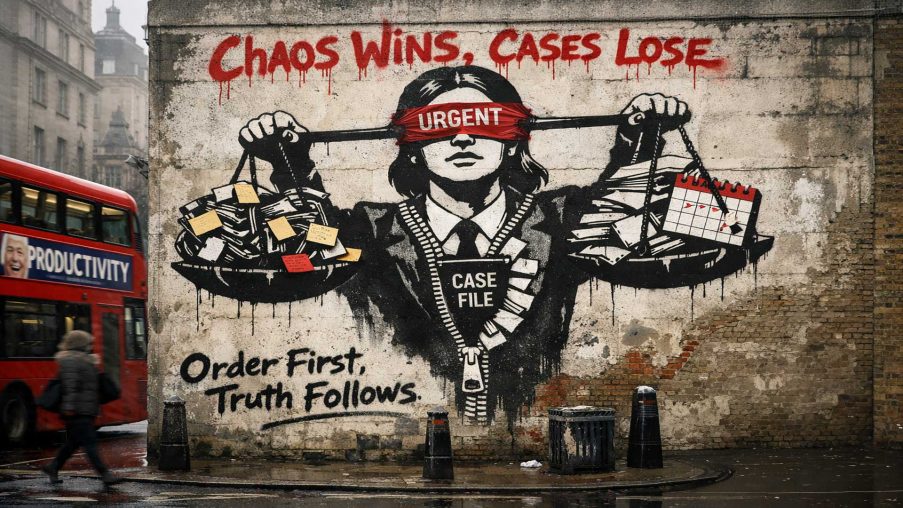
 Most legal problems don’t fail because someone “didn’t know the law”. They fail because the work becomes unmanageable: scattered documents, unclear issues, a chronology that lives in someone’s head, deadlines on scraps of paper, and correspondence threads that disappear at the worst possible moment. That is true for litigants in person, advice workers, paralegals, and—frankly—many professionals dealing with high volumes and imperfect information.
I am building an app called Platform (launching on legallens.org.uk) to address that operational reality. Not with another generic chatbot, and not with a promise to “replace legal professionals”, but with a practical casework platform that makes the fundamentals easier, safer, and more consistent.
What Legal Lens is trying to fix
If you’ve ever tried to move from “I have a situation” to “I have a coherent case file”, you will recognise the friction:
You need a reliable chronology, but the facts are spread across emails, PDFs, call logs, messages, and notes.
You need an issues list, but it keeps changing as evidence arrives.
You need letters and follow-ups, but every template lives in a different place and every draft risks missing a key fact.
You need research, but it is hard to keep track of what you relied on and why.
You need to track tasks and deadlines, but the tool you use for that has no connection to your documents or outputs.
Platform is designed around a simple idea: one workspace “spine” that connects cases, evidence, tasks/deadlines, and outputs—so you can see what you have, what you still need, and what needs to happen next.
What Platofrm will do (MVP scope)
Platform is being built as an integrated platform with a small number of modules that share the same underlying case/evidence structure.
- Case Management: get organised, quickly, and stay organised You can create a case with a short wizard (basics, parties, key dates), then work from a single case home that links your evidence, timeline, tasks, and outputs. The core MVP workflows include a chronology builder (user-entered events, linked to evidence) and an issues list (again, user-entered, with links to supporting documents and authorities). You will be able to export your chronology and issues list so they are usable outside the app.
- Templates and correspondence: consistent drafting with a verification habit Drafting is not just writing. It is making sure the right facts are included, the right asks are made, and the follow-up is not forgotten. Platform includes a structured template flow: select a template, populate fields (with auto-fill where available), pass through a “verify” checklist, then save the output into your evidence library and optionally create a follow-up task.
- AI Assistant (“Giles”): structured outputs with guardrails, not a magic answer box Where AI can help, it should do so transparently. Giles is designed to work in a consultation workspace where you choose jurisdiction and purpose (explain, draft, checklist, strategy, summarise, review) and optionally attach documents from your evidence library. Outputs are structured (Findings; Risks; Next actions; Key gaps; sources/citations where available) and clearly labelled so it is obvious whether citations are present. For higher-reliance outputs, the workflow is designed to require explicit user confirmation steps before anything is saved or exported.
- Legal Research: save what matters, keep the chain of reasoning Research is only useful if you can retrieve it, explain it, and link it to the issue it supports. The research module focuses on search, result cards with essential metadata, and the ability to save items into collections, add notes, link to a case, and export your collection. If AI summarisation is used, it is labelled as a summary rather than authority, and stored with provenance.
- SAR Manager: track requests properly and keep an escalation-ready record Subject access requests often fail in practice because the scope, correspondence, and follow-ups are poorly documented. The SAR workflow in Platform is designed to help you draft the initial request, log correspondence, store responses, and keep a timeline and task list so you can evidence what happened and when. This is intended to support your compliance and escalation record-keeping, not to replace legal judgement about scope, exemptions, or next steps.
What Platform will not do
It is important to be clear about this from day one.
Platform is productivity software. It is not a regulated legal service provider, and it is not a substitute for legal advice.
It will not “determine” privilege or legality for you. For example, “Privileged” is a user-applied confidentiality label to help manage sensitive material; it is not a legal determination.
It will not infer limitation periods or procedural deadlines in the MVP. You enter key dates; the system helps you track what you decide matters.
Reliability-first design: why I’m building it this way
If you are going to use software outputs in a dispute context, you need to know where they came from and what they relied on. Platform is being built with “reliability-first” principles: clear provenance for generated outputs, an audit trail for key actions (including changes, exports, and confirmations), and explicit “user responsibility” checkpoints at the moments where people are most likely to over-rely on a tool.
In plain English: the goal is not speed at any cost. The goal is a safer, more disciplined workflow.
Who this is for
If you are a litigant in person trying to keep your case coherent, an advice worker managing multiple files, a paralegal who needs structure and exportable outputs, or a solicitor/barrister receiving a messy case and wishing it came with a clean chronology/issues bundle—Platform is being built with your reality in mind.
How you can help (and how to get early access)
I am now starting to share progress publicly ahead of launch on legallens.org.uk.
If you want early access, or you want to pressure-test the workflows (chronology, issues, templates, SAR tracking, and the AI guardrails), message me or comment with what you would most want the first version to do well. If you deal with LiP support, employment disputes, whistleblowing, SARs, or high-volume casework, your feedback will be especially useful.
I will share updates as the build moves from specification to live product. If you want to follow along, follow this page/profile and keep an eye on legallens.org.uk.
Disclaimer: This article is for general information and marketing purposes only. It is not legal advice and should not be relied upon as such. Platform is productivity software and does not provide regulated legal services. Any examples or workflows described are illustrative and may change before launch. You remain responsible for checking facts, deadlines, and the suitability of any documents or actions for your specific circumstances. If you need advice on your legal position, you should consult a qualified solicitor or barrister.